


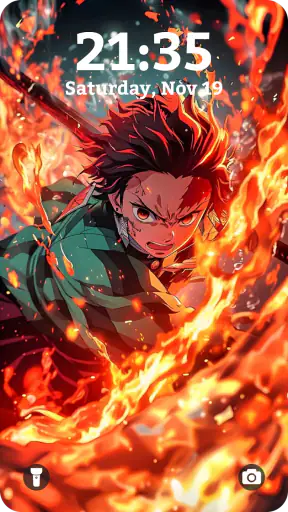
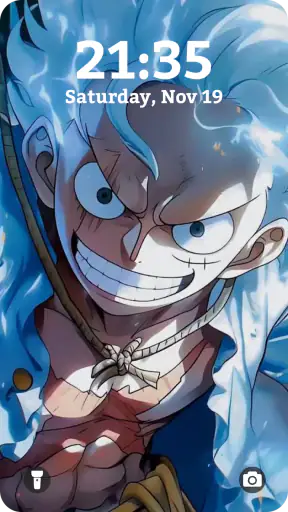
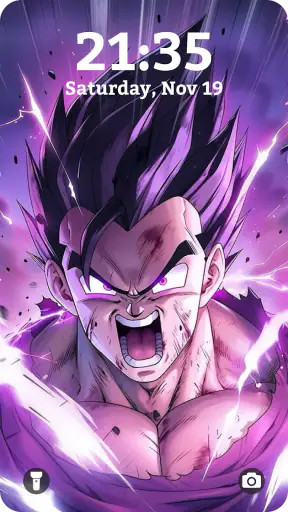
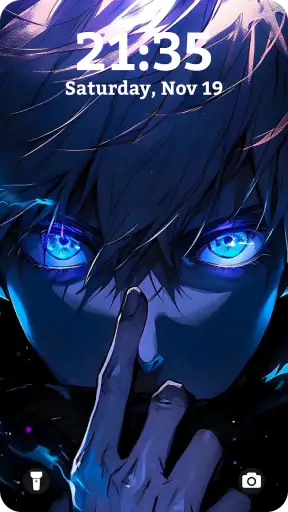
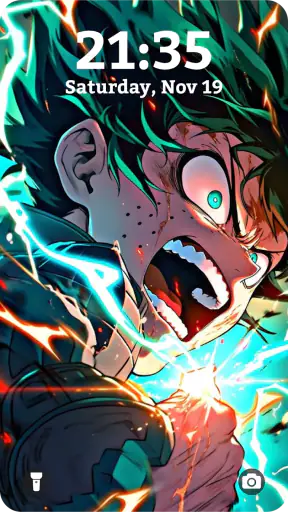
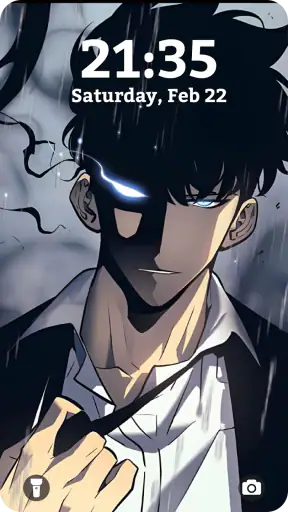
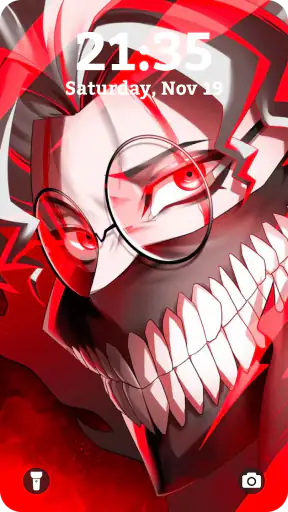
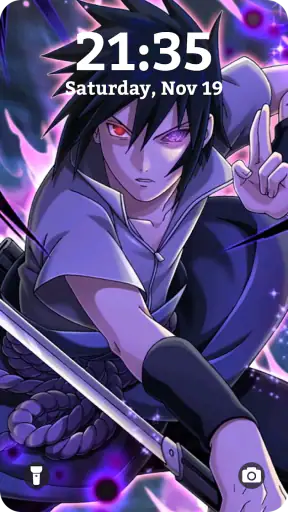
I spent time with Anime Wallpaper HD & 4K Live as a personalization app, mainly to see whether it makes changing an Android phone’s look feel enjoyable or unnecessarily complicated. Its focus is clear: anime artwork, animated wallpaper, 3D parallax effects, paired wallpapers, and themed visual setups. That narrow focus is its biggest strength, because it does not try to be a general wallpaper catalog filled with unrelated photography or abstract backgrounds.
My overall impression is positive, but with an important qualification. This is best understood as a visual customization tool for someone who actively wants anime on the home screen or lock screen. If you prefer a quiet, battery-conscious background and rarely change your setup, the animated side may feel excessive. If you enjoy matching your phone to a favorite character, series-inspired mood, or colorful theme, the app gives you much more personality than the standard wallpaper picker.
What the app feels like in everyday use
The first thing I noticed is how quickly the app communicates its purpose. You are not asked to learn a complicated design system before seeing the main attraction. The experience is built around browsing visual choices, previewing them, and deciding whether a particular image or live effect suits your phone. That straightforward flow matters because wallpaper apps can easily become cluttered with menus, unrelated categories, and aggressive distractions.
The catalog’s appeal depends heavily on your taste. Anime fans will likely enjoy having a dedicated place for dramatic portraits, bright color palettes, action-oriented compositions, and softer character-focused designs. Someone searching for a neutral office background will probably find the material too expressive. I would not install this expecting a broad collection of landscapes, minimalist gradients, or business-friendly photography.
The app is free to install, which makes experimenting easy. It is rated for Everyone, and it runs on Android 7.1 or later, so compatibility is reasonably broad for people using older supported phones. The developer is H2Studio2022, and the current version is 2.47. Those details make it accessible to a wide Android audience, although an older device may not deliver the same smoothness from animated or layered visual effects as a newer one.
Its public reception is also encouraging: it holds a 4.8 average from around 51 thousand ratings, with over a million installs. I treat those numbers as a useful sign of interest rather than a guarantee. Wallpaper preferences are personal, and a high average cannot tell you whether the available art matches your favorite style. Still, the scale suggests this is not an obscure experiment with no established audience.
Choosing between still, live, and layered designs
The most useful distinction is not simply “good image” versus “bad image.” It is deciding how much movement and depth you actually want. A static anime wallpaper is usually the safest choice for a phone you use constantly. It gives the screen character without making every unlock feel animated. A live option is more theatrical and can make the device feel customized, but it may be less suitable if you dislike motion or want the most restrained setup.
The 3D parallax approach is especially interesting because it can add a sense of depth without requiring you to redesign the entire home screen. I found that this kind of effect works best when the subject has clear separation from the background. A busy illustration can become visually tiring when movement is layered over already intense colors. For a cleaner result, I would choose artwork with a strong central subject and enough open space around icons.
Dual wallpapers are another practical idea. Matching the lock screen and home screen can make the phone feel deliberately arranged instead of randomly assembled. The trade-off is that two coordinated images can compete with widgets and app icons if both are highly detailed. I recommend checking the preview with your actual icon layout in mind, not just judging the artwork by itself.
Three practical ways to get more from it
My first tip is to judge every wallpaper at the point where your icons will sit. A character’s face may look excellent in a full-screen preview but become hidden behind rows of applications. The better choice is often not the most impressive image; it is the one that leaves readable space for your everyday controls. This is particularly important with anime art, where the main subject is often placed near the center.
Second, I would use live wallpaper selectively rather than treating it as the default for every screen. A moving background can be fun for a personal phone, but it is less appropriate when you need a calm display for reading, navigation, or work. Keeping a still option ready gives you a simple way to reduce visual noise without abandoning the app altogether.
Third, I would preview a coordinated pair for both mood and usability. A lock screen can tolerate a more dramatic composition because it is visible for a shorter moment. The home screen needs to remain comfortable during repeated, extended use. Choosing a striking lock screen and a quieter companion background is often more successful than selecting two equally busy images.
Trust, visible choices, and responsible use
Because this app changes the appearance of a phone rather than managing documents or communications, I approached it with a different kind of caution. The important questions for me were whether the experience made its choices understandable, whether I could decide what to apply, and whether the customization felt voluntary rather than forced. A wallpaper tool should not make a simple visual decision feel like surrendering control over the device.
I prefer using the app as a browsing and previewing tool first, applying a design only after checking how it looks with my icons and widgets. That workflow keeps the user in charge. It also avoids the common mistake of accepting the first attractive preview and then discovering that the result makes text difficult to read.
For data-sensitive moments, I would pay attention to any Android prompts that appear during installation or use and consider whether each request makes sense for the task being performed. I do not treat an attractive wallpaper as a reason to approve every prompt automatically. My practical rule is simple: if a choice is not needed for selecting or applying a background, I pause and review it before continuing.
The same principle applies to account controls and purchases. The app does not need to become part of every aspect of my phone usage for me to enjoy it. I would keep optional decisions optional, review the system’s permission controls, and use Android’s own settings to remove access that no longer seems appropriate. This is not a criticism unique to this app; it is a sensible habit for any personalization download.
The app includes in-app purchases priced from $4.99 to $8.99 per item. That matters because “free” describes the initial download, not necessarily every visual choice or extra option. I would browse the free experience first and only consider spending money if I had already found a style I genuinely wanted to keep. A purchase should solve a specific need, such as obtaining a preferred design, rather than being an automatic step in setup.
Where it fits against ordinary wallpaper alternatives
Compared with the wallpaper picker built into Android, this app is more specialized and expressive. The standard option is usually better when I want a quick, low-effort background with minimal browsing. It is also the safer choice for someone who values simplicity above all else. Anime Wallpaper HD & 4K Live earns its place by offering a focused visual identity and effects that a basic system picker may not emphasize.
Compared with general wallpaper applications, the advantage is concentration. A broad catalog may offer more total subject matter, but it can take longer to find anime artwork that feels coherent. Here, the theme is established from the beginning. The disadvantage is equally clear: if your interests change from anime to nature, architecture, abstract art, or personal photos, a general-purpose alternative will be more flexible.
There is also a meaningful difference between this app and a simple image saved from the web. A downloaded picture gives you more control over where it came from and how you store it, but it does not necessarily provide animated presentation, parallax depth, or coordinated wallpaper choices. This app is more convenient for a ready-made visual setup, while a manually selected image is better for people who want complete control over the source and editing process.
Who should use it, and who should skip it
I think it is a strong match for anime fans who want their phone to reflect a specific interest without learning a full graphic-design workflow. It also suits users who enjoy changing themes with their mood, setting up a new device, or giving a familiar phone a more personal identity. The combination of static, live, parallax, and paired approaches gives enough variety to make experimentation worthwhile.
I would be more cautious about recommending it to someone with limited storage, a phone that already struggles with animation, or a strong preference for maximum battery efficiency. The visual effects are the reason to choose this app, but they are also the reason a minimalist user may not enjoy it. People who need a wallpaper to remain nearly invisible behind dense widgets should also be selective about the artwork they apply.
It is not the right choice for someone seeking a complete home-screen replacement. This is a wallpaper and theme-oriented experience, not a substitute for a launcher, icon pack, or widget editor. If your goal is to redesign every part of the interface, you will likely need other tools. The app works best as one layer of personalization rather than a complete phone makeover.
A realistic daily scenario
Imagine setting up a new phone on a Sunday evening. I would first browse for a still image that leaves the upper area clear for notifications and the lower area readable behind the dock. I would then test a coordinated lock-screen image with a stronger focal point. After that, I might try the parallax version for a day, paying attention to whether the motion remains pleasant during repeated unlocking or begins to feel distracting.
If the animated version became tiring, I would not consider the experiment a failure. I would switch to the still companion and keep the more energetic design for occasional changes. That is the practical value of having several presentation styles: the app can serve both a dramatic setup and a calmer everyday arrangement, provided I am willing to choose carefully.
My cautious verdict
Anime Wallpaper HD & 4K Live is a focused personalization app with a clear audience and a more distinctive purpose than a routine background picker. I like that it gives anime artwork room to be the central experience, while 3D parallax, live presentation, and dual-wallpaper combinations offer ways to build a more deliberate setup. The free entry point and broad Android compatibility make it easy to try before making any commitment.
My recommendation comes with boundaries. I would preview everything with real icons, use motion sparingly, and treat optional purchases and system prompts as decisions rather than automatic steps. If you want a quiet, universal background, the built-in Android picker is probably better. If you want an anime-centered screen that feels visibly personal, this is a convincing option.
In the end, I would recommend it to a friend who enjoys changing the look of their phone and understands that visual effects are a preference, not an obligation. The best result comes from choosing the wallpaper around your daily habits, not merely choosing the most dramatic preview. Used that way, the app feels less like decoration for its own sake and more like a practical way to make an Android device feel genuinely yours.


